DStv Decoder Setup and Upgrade Guide for Worcester Homes
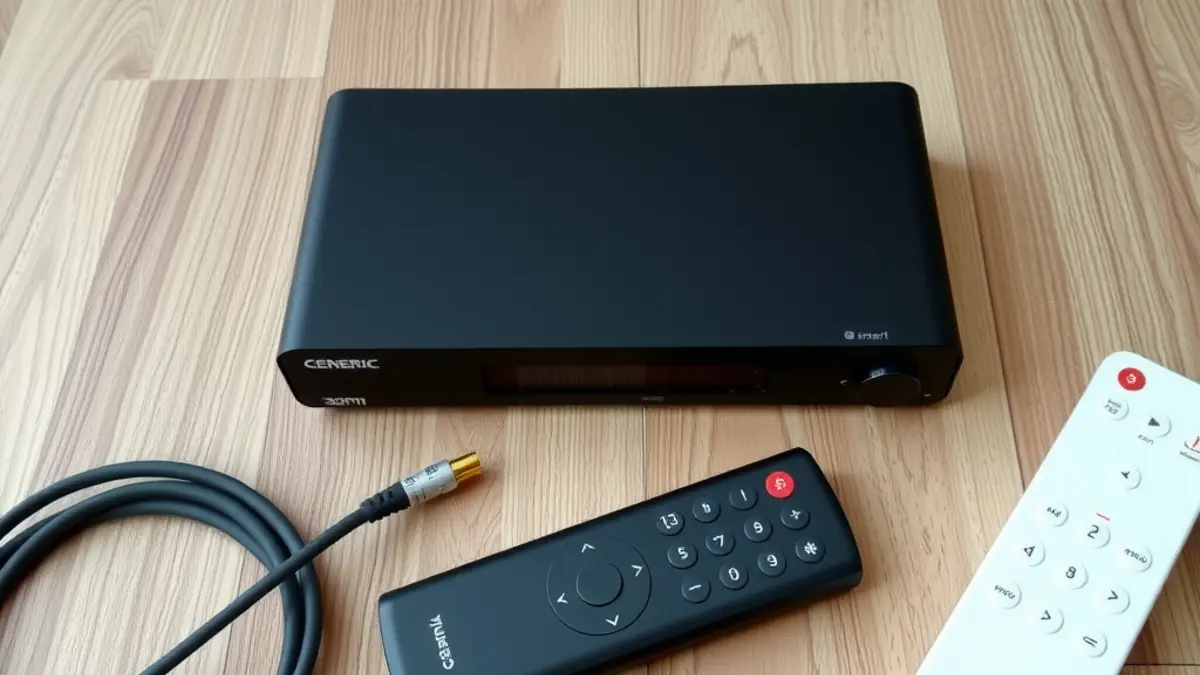
A decoder upgrade can look as simple as unplugging one box and connecting another, but the signal hardware, cabling, television connection, account status and home network all affect the result. Planning these items before purchase helps Worcester households avoid an upgrade that works only partially.
This guide explains what to check when installing or replacing a DStv decoder, including Explora and Ultra models, single-view arrangements and linked decoders. Package details and supported configurations can change, so verify current product and account requirements with DStv before committing to equipment.
Identify what you have now
Photograph the label on the existing decoder, the cables connected at the rear and the dish or LNB from ground level. Note how many televisions and decoders are in use. Do not climb onto the roof or disconnect cables merely to identify them.
Also write down what you want from the upgrade. Recording, Catch Up, streaming apps, independent viewing in another room and 4K-capable output are different needs. A specialist Explora or Ultra setup should match the decoder's supported features to your television, internet connection and satellite installation.
Compatibility checks before buying
| Item | Question to answer |
|---|---|
| Satellite hardware | Is the installed LNB and dish arrangement compatible with the decoder? |
| Cabling | Are the cable type, connectors, route and condition suitable? |
| Television | Does it have the required HDMI input and supported picture format? |
| Account | Can the decoder be activated or linked on the intended account? |
| Internet | Is connectivity available for the online features you expect to use? |
| Second decoder | Is the model combination supported for the intended linked setup? |
An existing picture on an older decoder does not prove the system is ready for every newer model. Conversely, an upgrade does not always require replacing every component. Inspection and signal testing determine what can be reused.
What professional decoder setup includes
The physical connection is only one stage. The decoder must receive the correct signal, start successfully, be associated with the account where required, complete relevant setup steps and output picture and sound to the television. Remote control functions and subscribed channels should be checked.
If the property has been vacant or the decoder has moved, relocation and reconnection support can assess the existing installation before configuration. This is useful when cables are unlabelled or the previous occupant's arrangement is unknown.
Explora and Ultra planning
Explora and Ultra decoders offer features beyond basic live viewing, but not every feature relies on the same connection. Satellite reception supports the broadcast service, while streaming and online functions depend on internet access. Your subscription and current DStv product terms also influence what is available.
Place the decoder where ventilation openings remain clear. Avoid closed cabinets that trap heat, especially during Worcester's hot summers. Keep liquids away and do not stack heat-producing equipment tightly around it. Use the supplied or approved power arrangement and do not force connectors.
Connecting the decoder to the internet
A nearby router can often connect by Ethernet or supported WiFi, depending on equipment and layout. Wired connectivity can be useful where practical, while WiFi performance depends on distance, walls, interference and router placement. Test at the decoder location rather than assuming that a strong signal in another room will be enough.
If coverage is inconsistent, treat it as a network problem instead of adjusting the dish. A planned home WiFi and fibre network can improve connectivity for televisions, decoders and other devices, but available internet speed still depends on the service connection and package.
Extra View and a second decoder
Linked decoders require supported hardware, the correct installation and account configuration. Do not buy a used second decoder based only on its price. Confirm model compatibility, ownership status and current account rules first.
Professional Extra View setup should test each decoder independently, confirm the required communication between them and explain what happens after a power outage or restart. The intended household arrangement should be described accurately when requesting the quote.
Common upgrade mistakes
- Buying a decoder before checking the existing LNB and cable arrangement.
- Assuming online features work without adequate internet at the television.
- Using an unverified second-hand decoder that cannot be added as intended.
- Forcing old or damaged connectors into the new equipment.
- Blocking ventilation inside a closed cabinet.
- Resetting the decoder repeatedly when the actual fault is signal or account related.
- Discarding the old setup before the new system has been tested completely.
Troubleshooting the first startup
No picture on the television
Confirm that both devices have power and the television is on the HDMI input used by the decoder. Check that the HDMI cable is seated without forcing it. If another input works, the issue may be in the cable, port, output setting or decoder rather than the dish.
Installation or signal error
Record the exact message. Do not rotate the dish or change advanced settings at random. The fault may involve configuration, LNB compatibility, alignment, cabling or connectors. A technician can measure the signal path and identify where it fails.
Channels missing after activation
Allow required account processes to complete, then follow official refresh or support steps. Confirm the package and account status with DStv. An installer can address physical setup, but should not invent subscription entitlements.
Apps buffer or will not open
Test internet connectivity at the decoder and check whether other devices have the same problem. Restart the network equipment in its normal supported manner. If satellite channels remain stable, the dish is unlikely to be the cause of app buffering.
Upgrading the television at the same time
A larger television may change viewing height, bracket requirements and cable placement. If wall mounting is planned, confirm the wall material, TV size and weight, bracket type, power outlet and preferred route before drilling. Keep signal, power and network cables organised and serviceable.
Do not conceal extension leads or unsuitable connectors inside a wall. Electrical changes belong with a qualified electrical professional. The television installer should clearly separate mounting and low-voltage signal work from regulated electrical work.
Data and account safety
Do not share account passwords or payment details with an installer. Use official DStv channels for sensitive account actions and enter credentials yourself. If a decoder is being removed or sold, follow current official guidance on ownership and account removal.
For connected devices, review app sign-ins and profiles before handing equipment to another person. Resetting equipment may remove settings and recordings, so understand the consequences before proceeding.
Your decoder handover checklist
- Test live channels included in the current subscription.
- Check picture, sound, remote control and television input.
- Test recording or connected features that formed part of the job.
- Test the second decoder independently if applicable.
- Ask how to perform a normal restart without disturbing cabling.
- Keep decoder identifiers, invoices and installation notes.
- Confirm who to contact for installation faults versus account or internet issues.
Plan the outcome before the hardware
The most successful upgrade begins with viewing needs and compatibility, not a model name alone. Decide what rooms and features matter, check the current installation, verify official account requirements and obtain a quote for any necessary changes.
For Worcester homes, also consider cabinet heat, router position and the condition of exterior equipment. A complete test at handover is the final step. It proves that the decoder, signal, television and included online features work together as intended.
Frequently asked questions
Can I install a new DStv decoder myself?
Basic connections may appear simple, but satellite compatibility, signal faults and linked-decoder setups can require an accredited installer. Voucher installations must follow the applicable DStv terms.
Will my old dish work with an Explora or Ultra?
It may, but the LNB, cabling, dish condition and configuration must be compatible. Have the existing system checked before assuming replacement is or is not required.
Does an Explora or Ultra require internet?
Satellite viewing and online features are different. Streaming and connected functions require suitable internet, while availability also depends on product and subscription terms.
Can I use a second-hand decoder?
Confirm ownership status, model support and whether it can be added to your account before buying. Do not rely only on the seller's assurance.
Why does streaming buffer when satellite channels are clear?
Streaming uses your internet connection. Check WiFi or Ethernet, router performance, service speed and other network demand rather than adjusting the dish.